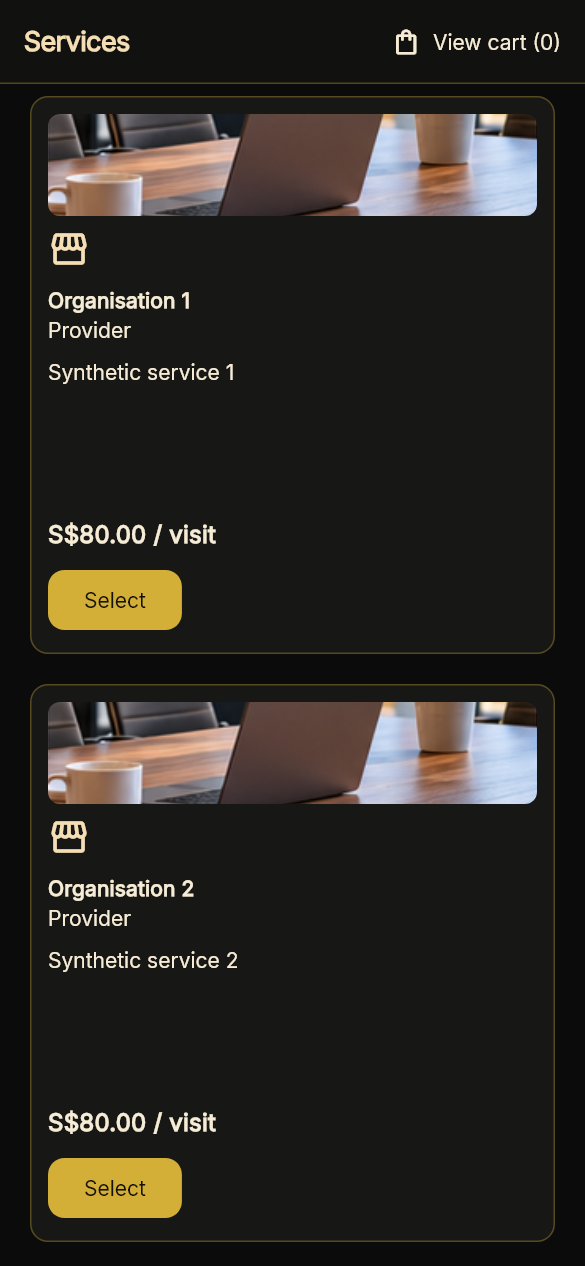
Use your business or provider profile to explain your services. Catalogue listings can show scope, prices and included visits. Work through the correct profile; switching profiles does not grant extra authority.
Explore Marketplace categories, open a service listing and review its details and availability. Confirmation and quotation steps depend on the service.
App screens shown with sample data.
02 / For Businesses
Availability That Reflects Capacity
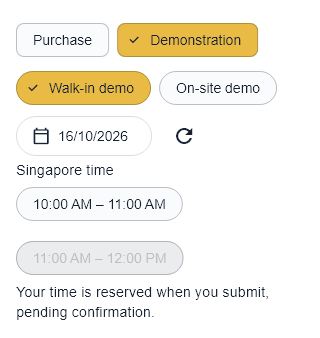
Set booking windows and fixed capacity. Eligible organisations can opt into calculated capacity using configured resources and limits. Customers see available choices, without your internal resource workload.
Availability, provider acceptance and quotation approval are separate steps where required.
Actual app capture · Local demonstrationActual Flutter widget-test capture with synthetic slots. This purchase example demonstrates available and unavailable times; it is not a real service booking.
03 / For Businesses
Teams, Roles & Assignments
See people and roles in the organisation chart. Coordinate work within the relevant team and permissions. Assignments depend on membership, eligibility and availability; assigning someone does not approve a quotation or confirm a visit.
Requests, Quotations & Coordination
Review requests, prepare quotations where supported and coordinate the agreed work. Quotation approval, provider acceptance and booking confirmation remain separate. Available steps vary by service; not every journey is complete.
From Enquiry to Agreed Work
Employees, Affiliations & Contractual Teams
Review employee membership, link eligible self-employed providers and organise contractual teams. Keep employment, professional verification, company affiliation and signing authority distinct. Access follows the selected organisation and approved role.
Direct Issue, Quotations & Private Bidding
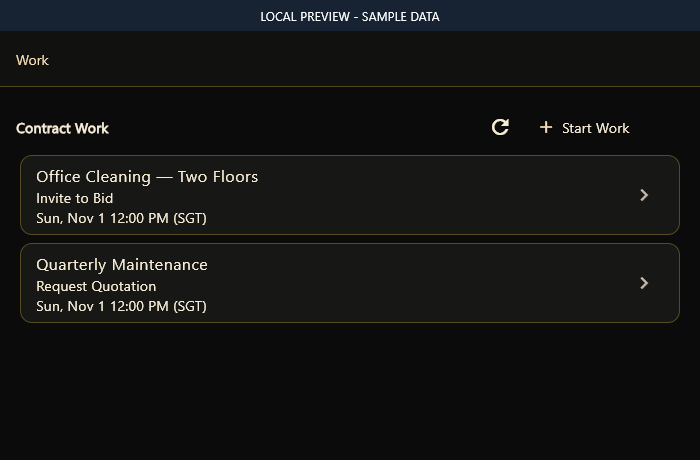
Start work in Requests by Us using Direct Issue, Request Quotation or Invite to Bid. Set scope, pricing basis, eligibility, training, deadline and invitees. Recipients respond in Requests to Us. The issuer chooses immediate or deadline-based evaluation; confidential proposals are restricted to authorised evaluators.
Awards, Templates & Contract Management
Award different, clearly defined parts to several providers. Create or link the resulting agreements in Contract Management. Reuse document templates, issue contracts and follow acceptance, effective dates, requirements and assigned work. Awarding a bid does not bypass agreement or verification.
Shared Contracts & Delegation
Use the Shared Contract View for authorised parties, allocated scope, requirements, training and delegation history. Bidding does not consume Delegation Business Credits. Credits apply only when authorised external contractual delegation is activated, subject to the existing capacity checks.
Actual app interface with synthetic documentation data. No live customer records, bookings or verification results are shown.
Inventory, Assets & Accounting
Where enabled for the organisation, track inventory and assets, allocations, handovers, returns and reconciliation against relevant work. Authorised roles can access accounting records and statements. Recording an invoice, payment term or receipt does not initiate a bank transfer or card charge.
Plans, Capacity & Optional Card Saving
Review subscriptions, workspace capacity and applicable fee previews before committing to work. Optional card saving is available in Your Account Card. Saving a card does not start a paid subscription or collect a payment. Subscription billing and live payment collection remain off.
Not Yet Available
Production Myinfo and Myinfo Business retrieval, subscription billing, live payment collection, external calendar transfer and corporate-email integration remain disabled. Split or deferred payment schedules describe agreed terms, not automated collection. Wheelchair-accessible transport remains proposed.
04 / For Businesses
Sales Teams & Sales Groups
Bring the right people together, with clear responsibilities and an organised way to coordinate customer work.
Sales Teams
Organise people within a business, clarify reporting lines and coordinate appointments and assignments. Each person works within their approved role and access.
Linked Sales Groups
Eligible sales and service professionals can coordinate through a shared group. A verified company link can connect the group to that company’s catalogue and commercial terms, subject to approved access.
Team and group tools depend on eligibility, approved roles and setup. A group does not automatically become a registered business or gain access to private customer records.
A Clear Sales Process, From Enquiry to Delivery
Use reusable quotation terms, customer follow-ups and work coordination within the existing sales workflow. Available steps depend on the service, approved role and business setup.
01
Agree the Scope
Capture what the customer needs and prepare the relevant quotation.
02
Set the Terms
Explain the price, payment stages and required documents before the customer approves.
03
Coordinate the Work
Assign eligible people, arrange appointments and follow progress through updates and documents.
04
Follow Through
Confirm completion and keep the next agreed action clear. An accepted quotation is not proof of payment.
Planned Payment Collection · Not Live
Split & Deferred Payments for Ongoing Contracts
Plan a payment schedule around the work you deliver. For multi-visit service contracts, the intended flow lets a business propose instalments or collection after agreed completion milestones for the customer to approve.
Split the Total Into Instalments
Agree an upfront percentage and spread the remaining amount across later visits. With no upfront payment, spread the total across all visits.
Collect After Agreed Milestones
Defer a portion until a specified number of visits is confirmed complete by the customer. That stage becomes due after the milestone: the business delivers that work before collecting the corresponding payment.
Keep Every Stage Clear
Show the contract total, each amount and when it becomes due before customer approval. Track completed work, payments received and the unpaid balance separately.
Example: Six Visits, S$600
Illustrative milestone schedule, subject to customer agreement.
30%S$180Upfront
40%S$240After Visit 3 Is Confirmed Complete
30%S$180After Visit 6 Is Confirmed Complete
Live collection and payouts are not yet available. These examples describe the intended experience; agreeing a schedule does not trigger an automatic charge or guarantee payment.
COORD US is a tester preview. Availability depends on your profile, permissions and service setup. Some tools are implemented while parts of the journey still need validation.
Production Myinfo and Myinfo Business retrieval, subscription billing, live payment collection, external calendar transfer and corporate-email integration remain disabled. Split or deferred payment schedules describe agreed terms, not automated collection. Wheelchair-accessible transport remains proposed.