Purposeful Invitations
An invitation belongs to the relevant plan. It does not automatically turn an invitee into a permanent personal connection. Check consent and sharing details before inviting someone.
For Individuals
Organise appointments and events, discover services and keep your plans together.
01 / Mutual Acceptance
Personal friend and family connections normally require mutual acceptance. Close Groups use a separate, explicit joining consent covering current and future members. Connecting does not accept work or share private plan details. Provider/client connections use their own consent flow.
An invitation belongs to the relevant plan. It does not automatically turn an invitee into a permanent personal connection. Check consent and sharing details before inviting someone.
Personal connections are not a public social feed. Phone sharing follows your sharing settings. Review each plan’s participants and details; a connection is not blanket access to your private plans.
02 / For Individuals
Bring personal appointments and events together, and keep related updates in one place.
Explore service and event offerings, then review the details and available choices. The next steps depend on the provider and service.
Sign in once, then choose your personal, provider or organisation profile. Keep each workspace separate. Manage your account, appearance, language and privacy settings from the existing profile tools.
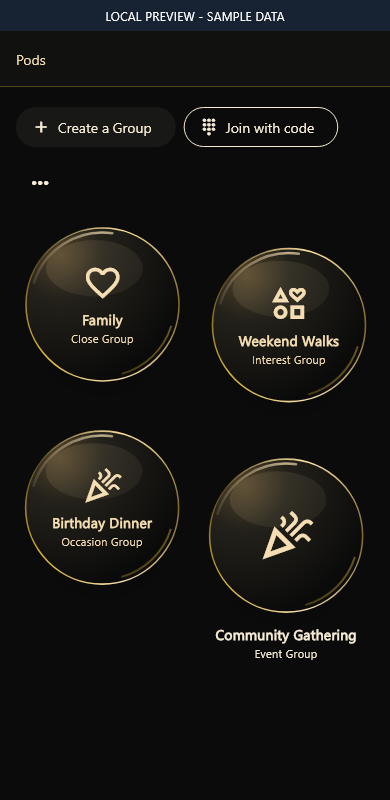
Create ongoing Close Groups for family or friends, or groups for a shared interest or occasion. Joining a Close Group requires explicit consent to connect with current and future members. Use private invitations or time-limited join codes; group membership does not expose private appointments.
Keep personal appointments and relevant work in your schedule. Related updates and next actions remain with the activity.
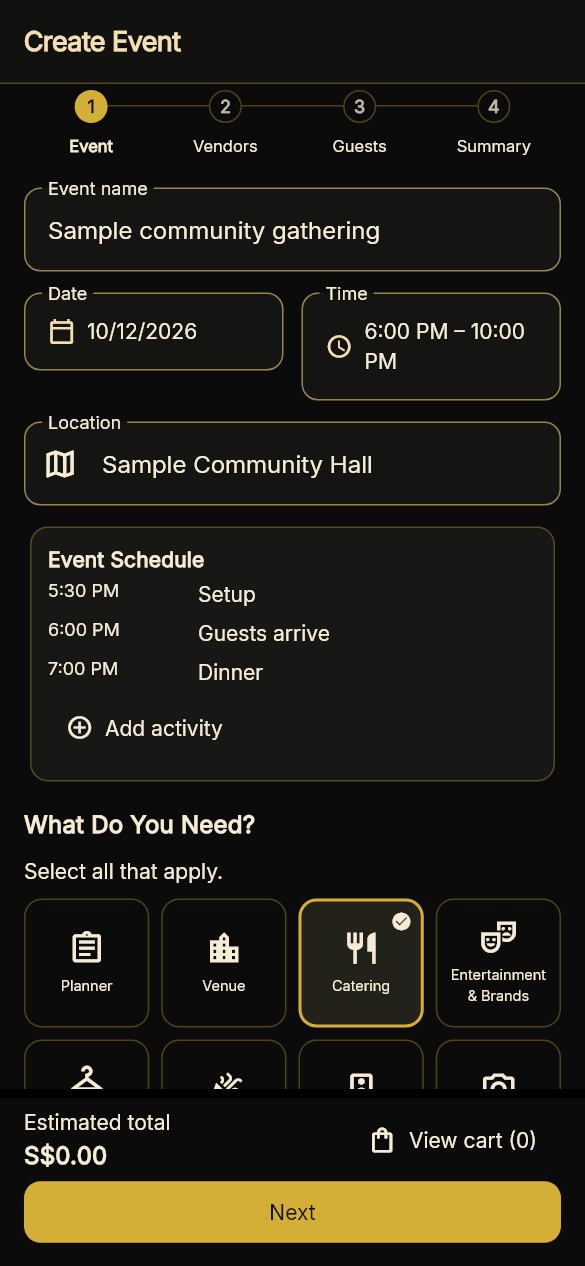
Plan dates, guests, budgets, food, schedules and logistics. Coordinate providers and co-organisers through the existing event tools. Event Groups keep shared conversation separate from planners-only information; joining does not automatically create personal connections or reveal private guest details.
Explore home services, consultancy and event services. Review the listing, available times and applicable terms for each provider.
Use the existing community, volunteering, care and BuyForMe tools where available to your profile. Android phone notifications, screenshot text extraction and family controls require the supported app and relevant permissions. Administration remains restricted to authorised roles in the native Admin app.
CLEAR EXPECTATIONS
COORD US is a tester preview. Availability depends on your profile, permissions and service setup. Some tools are implemented while parts of the journey still need validation.
Production Myinfo and Myinfo Business retrieval, subscription billing, live payment collection, external calendar transfer and corporate-email integration remain disabled. Split or deferred payment schedules describe agreed terms, not automated collection. Wheelchair-accessible transport remains proposed.
Sign in to COORD US or continue with your existing account.